



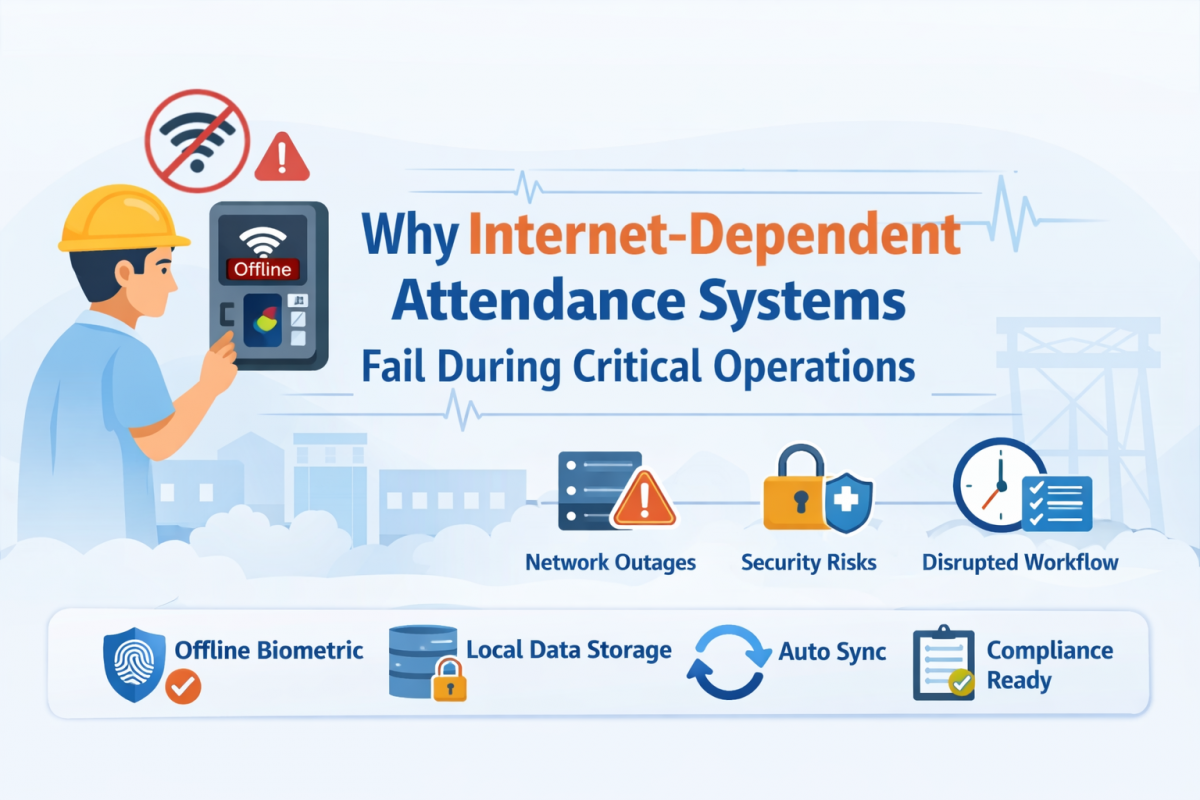
In today’s digital workplace, attendance systems have moved from manual registers to cloud-based platforms. While internet-enabled systems offer convenience and centralized control, over-dependence on continuous internet connectivity becomes a serious risk during critical operations.
For industries like manufacturing, healthcare, education, corporate offices, construction sites, and government departments, attendance is not just about tracking time it directly impacts payroll accuracy, compliance, security, and operational continuity.
Let’s explore why internet-dependent attendance systems fail when organizations need them the most.
1️⃣ Network Downtime Stops Workforce Entry
Internet-based attendance systems rely on real-time server communication. When:
- Internet service provider (ISP) issues occur
- Internal network switches fail
- Firewall or DNS problems arise
- Power fluctuations affect routers
👉 Employees cannot mark attendance.
👉 Entry queues build up at biometric terminals.
👉 Shift timings get disrupted.
During critical operations such as shift changes in factories or hospital duty rotations, even a 10–15 minute outage can cause major workflow disruptions.
2️⃣ Remote & Industrial Locations Often Have Poor Connectivity
Many organizations operate in:
- Industrial zones
- Mining areas
- Forest regions
- Construction sites
- Warehouses outside city limits
These areas often experience unstable or low-bandwidth internet.
When attendance systems require live cloud authentication:
- Face recognition fails
- Biometric syncing delays
- Real-time verification becomes impossible
This leads to manual overrides, which increase manipulation risks.
3️⃣ Critical Operations Cannot Wait for Servers
During:
- Emergency manufacturing runs
- Government inspections
- Audit days
- Large-scale examinations
- Disaster response operations
Attendance must work instantly and reliably.
If a cloud server experiences:
- Overload
- Maintenance downtime
- Cyberattack
- Latency due to high traffic
The entire workforce logging system gets affected.
Critical environments need local processing capability, not dependency on remote cloud servers.
4️⃣ Security Risks During Connectivity Failures
When internet-based systems fail, organizations often:
- Switch to manual registers
- Allow proxy entries
- Delay authentication
- Use temporary bypass methods
This creates:
- Payroll discrepancies
- Buddy punching risks
- Compliance violations
- Audit red flags
In industries subject to labor law compliance and data regulations, this can become a legal risk.
5️⃣ Data Synchronization Errors
Internet-dependent systems depend on continuous syncing. During intermittent connectivity:
- Partial data uploads occur
- Duplicate entries may be generated
- Time stamps can mismatch
- Records may get corrupted
These errors directly impact payroll processing and HR reporting.
Correcting such issues requires manual reconciliation increasing administrative workload.
6️⃣ Cybersecurity & Data Privacy Concerns
Cloud-only attendance systems expose sensitive data to:
- Data interception risks
- Unauthorized remote access
- Server breaches
- Third-party vulnerabilities
In India, with increasing focus on data protection under the Digital Personal Data Protection (DPDP) framework, organizations must ensure employee biometric data is securely stored.
When attendance systems are fully internet-dependent, organizations lose control over on-premise data governance.
7️⃣ Queue Build-Up & Productivity Loss
When systems go offline:
- Entry gates slow down
- Employees wait in long queues
- First-hour productivity drops
- Frustration increases
In large organizations with 200+ employees entering simultaneously, even a 30-second delay per person becomes operationally expensive.
8️⃣ No Offline Backup = Business Risk
The biggest flaw in internet-dependent systems is the absence of true offline functionality.
A reliable attendance system must:
- Process authentication locally
- Store records securely on-device
- Sync automatically when internet is restored
- Prevent data loss
Without offline capability, the system becomes unusable during internet disruptions.
The Smarter Alternative: Edge-Based & Hybrid Attendance Systems
Modern organizations are shifting toward:
- Edge computing attendance devices
- Offline-first authentication
- On-premise data storage with cloud sync
- Automatic synchronization when connectivity resumes
This ensures:
✅ Uninterrupted operations
✅ Accurate payroll data
✅ Compliance-ready records
✅ Secure biometric handling
✅ Zero dependency on live internet
Real-World Impact Example
Imagine a manufacturing plant with 500 workers:
If internet fails during shift entry:
- 500 employees delayed by 5 minutes
- 2,500 minutes of lost productive time
- Payroll confusion due to manual adjustments
- Supervisor intervention required
Now multiply this across multiple days operational cost increases significantly.
Key Takeaway
Internet-dependent attendance systems are convenient but not reliable during critical operations.
Organizations that operate in high-stakes environments need:
- Offline functionality
- On-device processing
- Secure data storage
- Automatic synchronization
- Minimal latency authentication
Attendance systems should support operations not stop them.
If you're planning to upgrade your attendance infrastructure, prioritize offline-first, edge-enabled, and compliance-ready solutions to ensure your workforce management never pauses even when the internet does.

Comments
Loading comments...